- You’ll build
- Animated Stars Background in WordPress
- Code required
- HTML + CSS + JS
- Installation
- Theme and role dependent
On this page
Before you startHow the stars workInstall it in WordPressCustomize the resultTroubleshoot common problemsAccessibility, mobile, and performanceFrequently asked questionsCheck your installationComplete working code
The preview and download are generated from these same source files. The complete snippet requires permission to save inline styles and scripts.
<section class="iljs-demo iljs-stars">
  <div class="iljs-stars-layer" aria-hidden="true"><i style="--iljs-x:0%;--iljs-y:0%;--iljs-delay:-0s"></i><i style="--iljs-x:37%;--iljs-y:19%;--iljs-delay:-1s"></i><i style="--iljs-x:74%;--iljs-y:38%;--iljs-delay:-2s"></i><i style="--iljs-x:11%;--iljs-y:57%;--iljs-delay:-3s"></i><i style="--iljs-x:48%;--iljs-y:76%;--iljs-delay:-4s"></i><i style="--iljs-x:85%;--iljs-y:95%;--iljs-delay:-5s"></i><i style="--iljs-x:22%;--iljs-y:14%;--iljs-delay:-6s"></i><i style="--iljs-x:59%;--iljs-y:33%;--iljs-delay:-0s"></i><i style="--iljs-x:96%;--iljs-y:52%;--iljs-delay:-1s"></i><i style="--iljs-x:33%;--iljs-y:71%;--iljs-delay:-2s"></i><i style="--iljs-x:70%;--iljs-y:90%;--iljs-delay:-3s"></i><i style="--iljs-x:7%;--iljs-y:9%;--iljs-delay:-4s"></i><i style="--iljs-x:44%;--iljs-y:28%;--iljs-delay:-5s"></i><i style="--iljs-x:81%;--iljs-y:47%;--iljs-delay:-6s"></i><i style="--iljs-x:18%;--iljs-y:66%;--iljs-delay:-0s"></i><i style="--iljs-x:55%;--iljs-y:85%;--iljs-delay:-1s"></i><i style="--iljs-x:92%;--iljs-y:4%;--iljs-delay:-2s"></i><i style="--iljs-x:29%;--iljs-y:23%;--iljs-delay:-3s"></i><i style="--iljs-x:66%;--iljs-y:42%;--iljs-delay:-4s"></i><i style="--iljs-x:3%;--iljs-y:61%;--iljs-delay:-5s"></i><i style="--iljs-x:40%;--iljs-y:80%;--iljs-delay:-6s"></i><i style="--iljs-x:77%;--iljs-y:99%;--iljs-delay:-0s"></i><i style="--iljs-x:14%;--iljs-y:18%;--iljs-delay:-1s"></i><i style="--iljs-x:51%;--iljs-y:37%;--iljs-delay:-2s"></i><i style="--iljs-x:88%;--iljs-y:56%;--iljs-delay:-3s"></i><i style="--iljs-x:25%;--iljs-y:75%;--iljs-delay:-4s"></i><i style="--iljs-x:62%;--iljs-y:94%;--iljs-delay:-5s"></i><i style="--iljs-x:99%;--iljs-y:13%;--iljs-delay:-6s"></i><i style="--iljs-x:36%;--iljs-y:32%;--iljs-delay:-0s"></i><i style="--iljs-x:73%;--iljs-y:51%;--iljs-delay:-1s"></i><i style="--iljs-x:10%;--iljs-y:70%;--iljs-delay:-2s"></i><i style="--iljs-x:47%;--iljs-y:89%;--iljs-delay:-3s"></i></div>
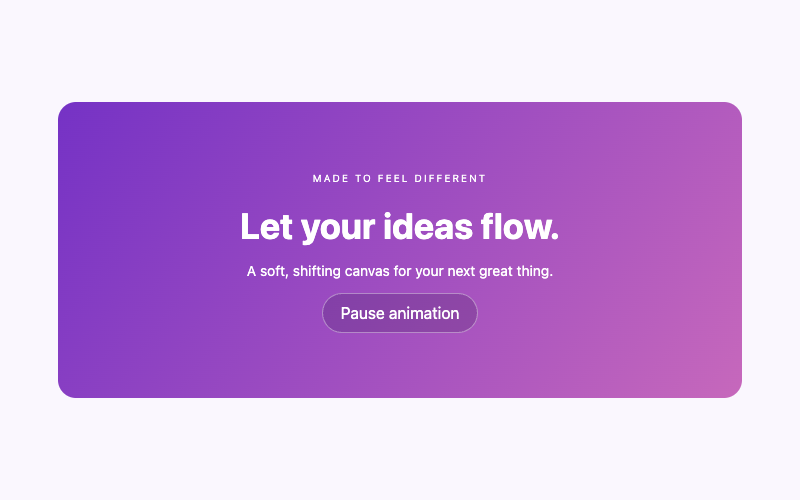
  <div class="iljs-stars-content"><span>YOUR NEXT GREAT IDEA</span><h2>A little night-sky magic.</h2><p>A quiet constellation behind your content.</p><button type="button" class="iljs-pause" aria-pressed="false">Pause animation</button></div>
</section>
/* Change the values here, keeping the iljs- prefix to avoid theme conflicts. */
.iljs-demo { --iljs-accent:#9235f6; --iljs-radius:18px; font-family:system-ui,sans-serif; color:#242038; width:min(620px,100%); margin:auto; }
.iljs-demo button,.iljs-demo a { font:inherit; }
.iljs-demo button:focus-visible,.iljs-demo a:focus-visible,.iljs-demo input:focus-visible,.iljs-demo summary:focus-visible { outline:3px solid #c491ff; outline-offset:4px; }
.iljs-stars { background:#171226;position:relative;isolation:isolate;overflow:hidden;border-radius:var(--iljs-radius);padding:70px 32px;color:#fff;text-align:center; }
.iljs-stars-layer { position:absolute;inset:0;pointer-events:none;z-index:-1; }
.iljs-stars-layer i { position:absolute;left:var(--iljs-x);top:var(--iljs-y);width:3px;height:3px;background:#dab9ff;border-radius:50%;animation:iljs-twinkle 4s ease-in-out infinite;animation-delay:var(--iljs-delay); }
.iljs-stars-content h2 { font-size:32px;line-height:1.1;margin:20px 0 12px; }
.iljs-stars-content span { font-size:10px;letter-spacing:2px;color:#cb98ff; }
.iljs-stars-content p { font-size:14px;color:#bab0cf; }
.iljs-pause { border:1px solid #ffffff45;border-radius:30px;padding:10px 18px;background:#ffffff12;color:#fff;cursor:pointer; }
.iljs-stars[data-paused="true"] i { animation-play-state:paused; }
@keyframes iljs-twinkle { 0%,100%{opacity:.2;transform:scale(.6)}50%{opacity:1;transform:scale(1.4)} }
@media(prefers-reduced-motion:reduce){.iljs-stars-layer i{animation:none;opacity:.55}}
(() => {
  const init = () => document.querySelectorAll('.iljs-stars').forEach(root => {
    if (root.dataset.iljsReady) return; root.dataset.iljsReady = 'true';
    const button = root.querySelector('.iljs-pause');
    button.addEventListener('click', () => {
      const paused = root.dataset.paused !== 'true'; root.dataset.paused = String(paused);
      button.setAttribute('aria-pressed', String(paused)); button.textContent = paused ? 'Resume animation' : 'Pause animation';
    });
  });
  document.readyState === 'loading' ? document.addEventListener('DOMContentLoaded', init, {once:true}) : init();
})();
<section class="iljs-demo iljs-stars">
  <div class="iljs-stars-layer" aria-hidden="true"><i style="--iljs-x:0%;--iljs-y:0%;--iljs-delay:-0s"></i><i style="--iljs-x:37%;--iljs-y:19%;--iljs-delay:-1s"></i><i style="--iljs-x:74%;--iljs-y:38%;--iljs-delay:-2s"></i><i style="--iljs-x:11%;--iljs-y:57%;--iljs-delay:-3s"></i><i style="--iljs-x:48%;--iljs-y:76%;--iljs-delay:-4s"></i><i style="--iljs-x:85%;--iljs-y:95%;--iljs-delay:-5s"></i><i style="--iljs-x:22%;--iljs-y:14%;--iljs-delay:-6s"></i><i style="--iljs-x:59%;--iljs-y:33%;--iljs-delay:-0s"></i><i style="--iljs-x:96%;--iljs-y:52%;--iljs-delay:-1s"></i><i style="--iljs-x:33%;--iljs-y:71%;--iljs-delay:-2s"></i><i style="--iljs-x:70%;--iljs-y:90%;--iljs-delay:-3s"></i><i style="--iljs-x:7%;--iljs-y:9%;--iljs-delay:-4s"></i><i style="--iljs-x:44%;--iljs-y:28%;--iljs-delay:-5s"></i><i style="--iljs-x:81%;--iljs-y:47%;--iljs-delay:-6s"></i><i style="--iljs-x:18%;--iljs-y:66%;--iljs-delay:-0s"></i><i style="--iljs-x:55%;--iljs-y:85%;--iljs-delay:-1s"></i><i style="--iljs-x:92%;--iljs-y:4%;--iljs-delay:-2s"></i><i style="--iljs-x:29%;--iljs-y:23%;--iljs-delay:-3s"></i><i style="--iljs-x:66%;--iljs-y:42%;--iljs-delay:-4s"></i><i style="--iljs-x:3%;--iljs-y:61%;--iljs-delay:-5s"></i><i style="--iljs-x:40%;--iljs-y:80%;--iljs-delay:-6s"></i><i style="--iljs-x:77%;--iljs-y:99%;--iljs-delay:-0s"></i><i style="--iljs-x:14%;--iljs-y:18%;--iljs-delay:-1s"></i><i style="--iljs-x:51%;--iljs-y:37%;--iljs-delay:-2s"></i><i style="--iljs-x:88%;--iljs-y:56%;--iljs-delay:-3s"></i><i style="--iljs-x:25%;--iljs-y:75%;--iljs-delay:-4s"></i><i style="--iljs-x:62%;--iljs-y:94%;--iljs-delay:-5s"></i><i style="--iljs-x:99%;--iljs-y:13%;--iljs-delay:-6s"></i><i style="--iljs-x:36%;--iljs-y:32%;--iljs-delay:-0s"></i><i style="--iljs-x:73%;--iljs-y:51%;--iljs-delay:-1s"></i><i style="--iljs-x:10%;--iljs-y:70%;--iljs-delay:-2s"></i><i style="--iljs-x:47%;--iljs-y:89%;--iljs-delay:-3s"></i></div>
  <div class="iljs-stars-content"><span>YOUR NEXT GREAT IDEA</span><h2>A little night-sky magic.</h2><p>A quiet constellation behind your content.</p><button type="button" class="iljs-pause" aria-pressed="false">Pause animation</button></div>
</section>

<style>
/* Change the values here, keeping the iljs- prefix to avoid theme conflicts. */
.iljs-demo { --iljs-accent:#9235f6; --iljs-radius:18px; font-family:system-ui,sans-serif; color:#242038; width:min(620px,100%); margin:auto; }
.iljs-demo button,.iljs-demo a { font:inherit; }
.iljs-demo button:focus-visible,.iljs-demo a:focus-visible,.iljs-demo input:focus-visible,.iljs-demo summary:focus-visible { outline:3px solid #c491ff; outline-offset:4px; }
.iljs-stars { background:#171226;position:relative;isolation:isolate;overflow:hidden;border-radius:var(--iljs-radius);padding:70px 32px;color:#fff;text-align:center; }
.iljs-stars-layer { position:absolute;inset:0;pointer-events:none;z-index:-1; }
.iljs-stars-layer i { position:absolute;left:var(--iljs-x);top:var(--iljs-y);width:3px;height:3px;background:#dab9ff;border-radius:50%;animation:iljs-twinkle 4s ease-in-out infinite;animation-delay:var(--iljs-delay); }
.iljs-stars-content h2 { font-size:32px;line-height:1.1;margin:20px 0 12px; }
.iljs-stars-content span { font-size:10px;letter-spacing:2px;color:#cb98ff; }
.iljs-stars-content p { font-size:14px;color:#bab0cf; }
.iljs-pause { border:1px solid #ffffff45;border-radius:30px;padding:10px 18px;background:#ffffff12;color:#fff;cursor:pointer; }
.iljs-stars[data-paused="true"] i { animation-play-state:paused; }
@keyframes iljs-twinkle { 0%,100%{opacity:.2;transform:scale(.6)}50%{opacity:1;transform:scale(1.4)} }
@media(prefers-reduced-motion:reduce){.iljs-stars-layer i{animation:none;opacity:.55}}


</style>
<script>
(() => {
  const init = () => document.querySelectorAll('.iljs-stars').forEach(root => {
    if (root.dataset.iljsReady) return; root.dataset.iljsReady = 'true';
    const button = root.querySelector('.iljs-pause');
    button.addEventListener('click', () => {
      const paused = root.dataset.paused !== 'true'; root.dataset.paused = String(paused);
      button.setAttribute('aria-pressed', String(paused)); button.textContent = paused ? 'Resume animation' : 'Pause animation';
    });
  });
  document.readyState === 'loading' ? document.addEventListener('DOMContentLoaded', init, {once:true}) : init();
})();

</script>Before you start
You need permission to save the supplied markup and styles. The tiny JavaScript file only controls pausing; CSS produces the twinkle. If your role cannot save scripts, ask your site administrator to install the behavior through an approved method. Our guide to adding HTML, CSS, and JavaScript to WordPress explains those boundaries. No external font, image, particle library, or remote API is needed by this snippet.
How the stars work
The outer .iljs-stars section establishes a positioned, isolated stacking context. Its dark background provides reliable contrast. The .iljs-stars-layer fills that section and uses pointer-events: none, so a star cannot become an invisible obstacle over a link. The content remains above it because the layer sits at a negative stacking level within the isolated section.
Each small i element represents one decorative point. The inline --iljs-x, --iljs-y, and --iljs-delay values spread those points across the section and stagger their animation. The iljs-twinkle keyframes change opacity and scale. They never move the text or alter the section’s dimensions. There are 32 points in this example; keeping that count modest is more useful than covering every pixel.
The script finds each .iljs-stars instance separately. It records initialization with data-iljs-ready, then attaches one click handler to that instance’s pause button. Clicking toggles data-paused, updates aria-pressed, and changes the visible label. CSS reads the state and pauses the particles. Running the script twice does not attach a second handler to the same section.
Install it in WordPress
- Open the draft page or post in the block editor. Add a Custom HTML block at the position where the hero should appear. Paste only the HTML tab’s contents into its HTML field.
- Add the CSS through your available custom CSS interface. A classic theme may expose Appearance → Customize → Additional CSS. A block theme may provide an Additional CSS option under its Styles interface. If those screens are unavailable, use an administrator-approved snippet method or a child-theme stylesheet.
- Install the JavaScript separately using the WordPress JavaScript guide. On WordPress 7.0 and later, the Custom HTML CSS and JavaScript panels require
unfiltered_html. Older editors and restricted roles need another approved method. - Save the draft, then open its front-end preview. A paused or missing animation inside the editor alone does not demonstrate a front-end failure.
- Replace the heading and paragraph. Test the pause button, a narrow viewport, and any nearby links before publishing.
In Elementor, put the markup in an HTML widget, install the scoped styles in an available supported stylesheet or CSS interface, and use a permitted script method for the pause control. On restricted WordPress.com plans or accounts, inline scripts or styles may be removed. Do not repeatedly paste the combined snippet expecting a capability restriction to disappear.
Customize the result
Change the section’s background from #171226 to another dark color that keeps the heading readable. Change the stars’ background from #dab9ff to a pale brand accent. The text and the particles have separate colors, so inspect both after editing. For a brighter daytime look, the animated gradient background is often a better starting point than white stars on a pale canvas.
The current twinkle lasts four seconds. Increase the 4s duration to six or eight seconds for a quieter effect. Keep staggered delays so the points do not pulse together. Change the section’s vertical padding to control hero depth rather than adding a fixed height that could clip a wrapped heading on a phone. The --iljs-radius variable controls the outer corners.
When moving your own block content into this design, keep it within .iljs-stars-content. Do not remove isolation: isolate casually: the negative decorative layer could otherwise fall behind a different ancestor. If you want a call to action, the gradient button tutorial provides a separate, scoped design that can fit into the content layer.
Troubleshoot common problems
The stars are invisible. Check that you copied the decorative layer as well as the outer section. Confirm that the CSS saved and that the published HTML still contains the inline position variables. A security policy or sanitizer may reject inline styles; an administrator can move these declarations into approved CSS classes.
The background is behind the wrong area. Restore position: relative and isolation: isolate on .iljs-stars. Avoid copying the layer alone into a theme container that uses a different stacking arrangement.
Pause does nothing. Inspect the saved page for the script or its enqueued file. If scripts were removed, the animation can still appear while the control has no behavior. Install the script through a permitted path before using an automatically moving version publicly.
Styles look unchanged. Clear the relevant page or CSS cache, then reload the front end. Check for theme declarations that override the section’s background or typography. Scope any needed adjustment to .iljs-stars, rather than targeting all section or h2 elements.
Accessibility, mobile, and performance
The decorative layer is hidden from assistive technology with aria-hidden. The pause control is a real button with a visible focus outline. A prefers-reduced-motion rule removes the twinkle and leaves a static constellation. Check that rule using your operating system’s reduced-motion setting; the effect should remain visually understandable without movement.
The width is responsive, and text can wrap naturally. Stars are absolutely positioned inside an overflow-hidden section, so they should not create horizontal scrolling. This example animates only small elements with opacity and transforms; it does not run a canvas loop or make network requests. Avoid stacking several animated heroes on one page without considering distraction and battery use.
Frequently asked questions
Can the background be CSS-only?
The visual twinkle is CSS-only. The supplied JavaScript gives visitors a direct pause control. A static stars version can omit both the animation declaration and the script; keep the decorative points and their placement.
Can I place it behind an existing Group block?
Yes, but the Group needs the section class, the decorative children, and the content wrapper. Adding one CSS class alone cannot create the supplied particle markup. Learn how to assign classes to WordPress blocks before adapting the structure.
Will it cover my theme’s header?
This snippet is a section background. It does not replace or fix your header. Place it below the header unless you intentionally design an overlay and test the resulting contrast.
Check your installation
Confirm that the stars stay behind the text, nearby controls remain clickable, Pause and Resume both work, and reduced motion produces a static result. The standalone download gives you a baseline for separating snippet problems from WordPress installation problems.